Tools overload might be your real problem
For any remote team, tools can be heaven or hell.
The number of collaboration tools has exploded. Every week, there’s a new platform claiming to be the best tool for remote teams, from AI note-takers, all-in-one hubs, productivity dashboards, and async video platforms.
The promise is simple:
“Adopt this tool and your remote team will be more productive.”
Many managers get excited about adopting new tools because they have the hope that more tools will make the team more productive and organized. However, in reality, remote teams often suffer from having too many tools.
There is no “best tool” for everyone
If a tool works for Microsoft or Amazon, it won’t automatically work for you as well.
Adopting too many tools, or the wrong ones for your needs, leads to fragmentation and confusion.
No single tool works for every remote team. Indeed, the right stack is the one that suits your operating model, your goals, and the kind of work your team does.
The problem isn’t the lack of tools, but the the mismatch between tools and structure. The right stack is the one that suits your operating model, your goals, and the type of work your team does.
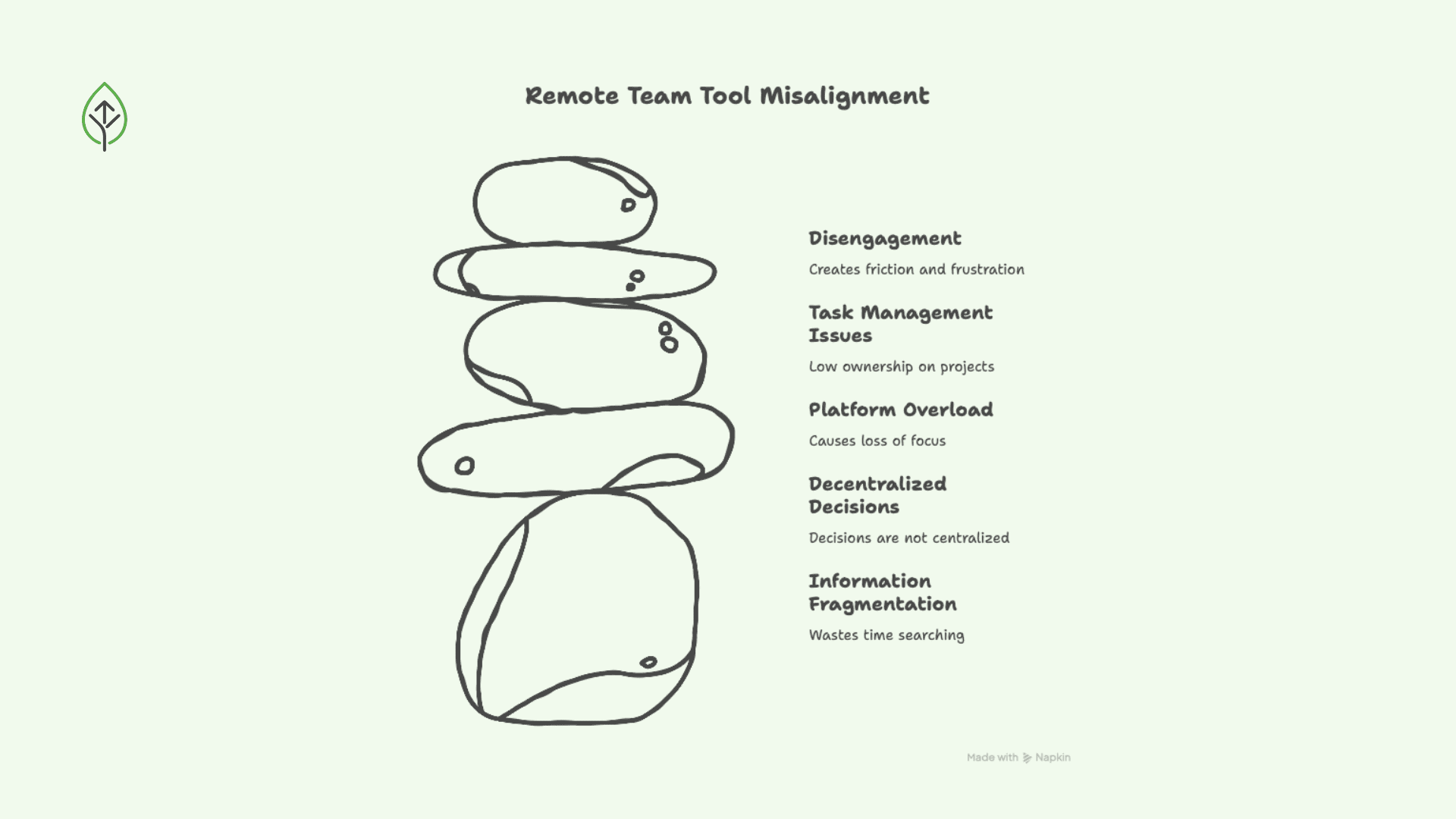
For example, you can recognize a misaligned tech stack when you observe:
- Your team is spending time searching for information and not executing
- Decisions live in Slack threads, Zoom recordings, and random docs; they are not centralized
- Your team jumps between 6–8 platforms daily, losing focus and feeling tired
- Tasks end up in chat instead of a proper system
- Feeling of frustration and disengagement
This kind of misalignment creates real friction that makes scaling harder.
Start with structure, not software
When remote teams adopt tools that match their structure, something shifts. Teams start seeing faster onboarding, stronger accountability, and lower operational stress.
As a result, collaboration improves, operations run smoother, and companies can scale more easily.
Before choosing the tools you’ll adopt for your remote team, ask yourself:
- Are we async or sync-heavy?
- Are we delivery-focused or creative?
- Are we process-led or collaboration-led?
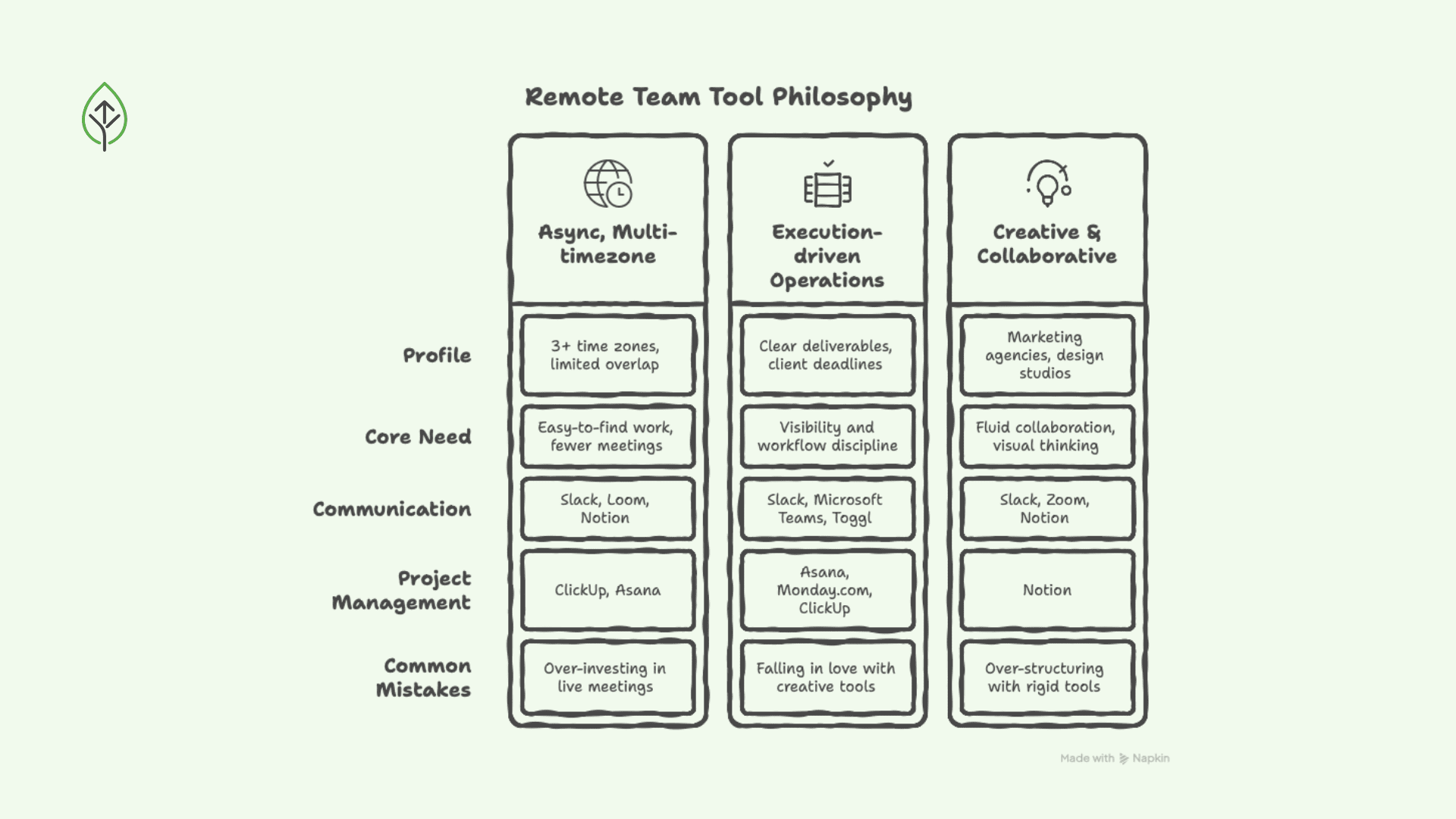
Most small and medium remote-first companies fall into three types, and each one requires a different tool philosophy.
The async, multi-timezone company
Profile:
- 3+ time zones
- Limited overlapping hours
- Strong documentation culture
- Often SaaS, product, digital-first
Core need: fewer live meetings and work that’s easy to find.
What works:
Communication
- Slack for structured channels, async-first mindset
- Loom or similar to replace meetings with video walkthroughs
Documentation
- Notion or Confluence as a single documentation hub
- Google Workspace for collaborative editing
Project Management
- ClickUp or Asana with clear ownership and deadlines
These are the tools Anna Shcherbyna, founder of Remotivate, can’t live without!
Common mistakes:
- Over-investing in live meeting tools and a sync-heavy culture
- Using multiple documentation systems
For this profile, clarity is more important than speed.
The execution-driven operations company
Profile:
- Clear deliverables
- Client deadlines
- Customer service, agencies, e-commerce, ops-heavy teams
- Cross-functional coordination
Core need: visibility and workflow discipline.
What works:
Project Management
- Asana, Monday.com, or structured ClickUp setups
- Clear task assignment and KPI dashboards
Time & Productivity tracking
- Toggl or Harvest to track time
- Dashboards that show real output
Communication
- Slack or Microsoft Teams (structured and not chaotic)
Common mistakes:
- Falling in love with tools for creatives (like Miro)
- Using chat as task management
Structure here matters more than inspiration.
The creative & collaborative company
Profile:
- Marketing agencies
- Design studios
- Product innovation teams
- Brainstorming-heavy workflows
Core need: fluid collaboration and visual thinking.
What works:
Visual collaboration
- Miro or FigJam
- Figma for design-driven teams
Documentation
- Notion for briefs, creative guidelines, and knowledge sharing
Communication
- Slack connected to project boards
- Zoom for workshops and client sessions
Common mistakes:
- Over-structuring with rigid project management tools
- Ignoring documentation
A simple, flexible structure works best.
Next step
If you run a small or medium remote-first company:
- Identify your pattern between these three
- Check where tools overlap
- Eliminate what is not useful or necessary
- Set simple rules for how each tool should be used
Then, define just one tool per function:
- Communication hub
- Project management system
- Documentation source of truth
- Visual collaboration space (if needed)
Ultimately, the right tools for remote team performance intentionally aligned with how your company operates.
Turn operational clarity into a real advantage
Choosing the wrong tools creates hidden friction that grows over time. You should forget the trends and focus on what aligns with your timezone structure, your company’s operating model, and the growth stage you are in.
Over time, this alignment strengthens ownership, improves performance, and reduces operational stress at scale.